Auto-Sorter Pro · One payment · Lifetime
Every file. Every part. One canvas.
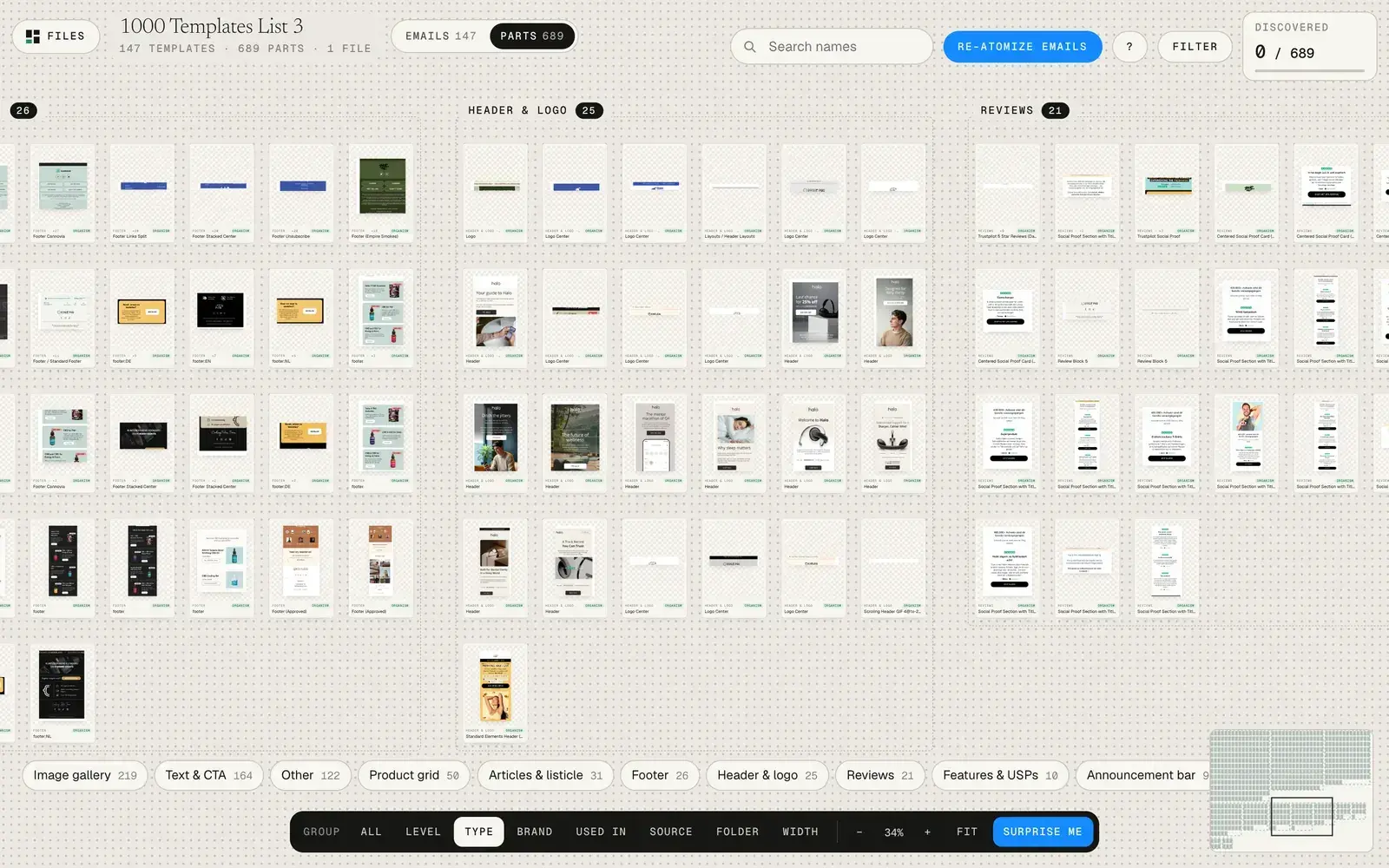
Free sorts one file. Pro puts all your template files side by side and opens the parts library: the heroes, cards and buttons your emails are built from, sorted by level and type, with how many emails use each one.
or $97 with the recorded workshop
One email
This is a Black Friday email.
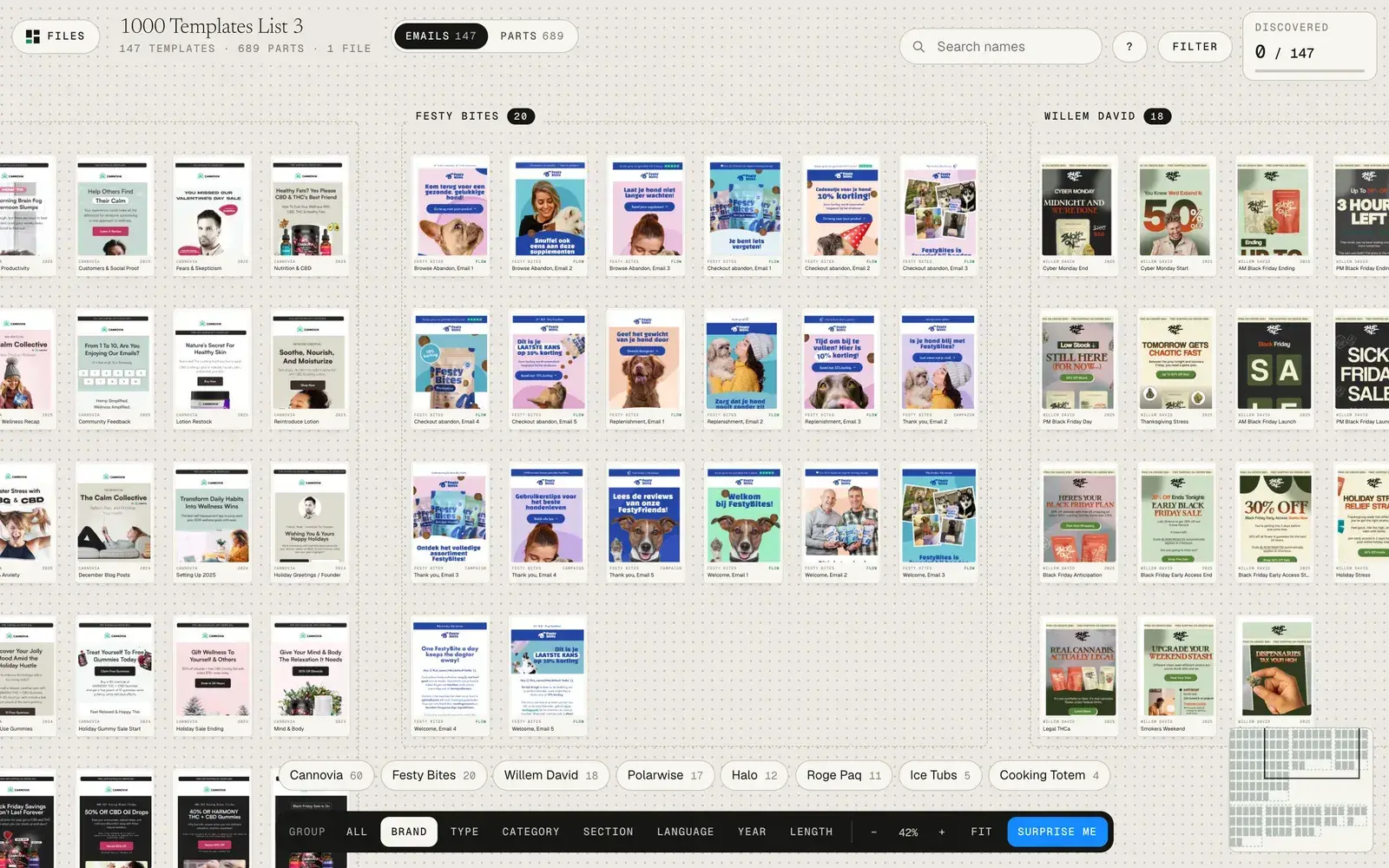
Cannovia, from our own library. To Figma it’s one tall frame.
Parts library
In Pro it’s five parts.
Header, announcement bar, hero, text block, product grid. Each one named by type and level.
Across the whole file
0 parts.
Found in 147 emails, merged to 689 unique, each with how many emails reuse it.
Free vs Pro
Same private app. All of your library in it.
| Free | Pro · from $29 | |
|---|---|---|
| Every email in a file, sorted | ✓ | ✓ |
| Brand, type, category, section, language, year, length | ✓ | ✓ |
| Filter, search, full-size viewer, open in Figma | ✓ | ✓ |
| Files on one canvas | 1 | All of them |
| Parts library: atoms, molecules, organisms | Locked | ✓ |
| Reads the Parts page Atomic Emails builds, with “used in N emails” | Locked | ✓ |
| Every future Studio App feature | No | ✓ included |
Inside Pro
This is what Pro opens.
Screenshots of the real app on 147 of our own templates. The Parts tab shows every header, hero and product grid your emails are built from, grouped by type, with how many emails use each one.
Our own files, in parts
Make it once. Use it in 122 emails.
Who it’s for
If your templates live in more than one file.
Freelance email designers
One file per client. Pro shows every client side by side, so last month’s winning layout is one click away for the next brand.
Agencies and teams
Find the approved version, not the third duplicate. Group by file, brand or year, and send the Figma link of the exact frame.
Template builders
See which sections you rebuild over and over. Those are the components worth making once, and Atomic Emails makes them in Figma.
Checkout
Two ways to get Pro.
Same Pro key either way. Tools is the app and the help center, set up at your pace. Workshop adds the recorded walkthrough of the whole method. Your key and the Pro skill arrive by email right after checkout.
Secure checkout by ClickFunnels
Continue to checkout→ pick Tools or WorkshopOn the next page you pick Tools or Workshop and the optional $12 templates add-on. One-time payment. Refund within 30 days, no questions.
If Pro doesn’t sort your files, email diego@halloftemplates.com. We fix it or refund you. No questions.
Questions
Before you unlock.
Tools or Workshop?
Same Pro key, same app. Pick Tools if you like setting things up yourself: the help center covers every step. Pick Workshop if you want to watch the whole method on a real library first: how to name emails so they sort, which sort to use for which job, and how to read your parts.
Can I add the workshop later?
Yes. Right after you buy Tools, you can add the workshop for $68 in one click.
How does Pro unlock?
You get a Pro key by email right after checkout. Click “Unlock in one click” in that email, or paste the key in the sorter. Pro is saved in that browser; on a new computer, paste the key once more.
How do I break my emails into parts?
That’s the next step, Atomic Emails ($17): the workshop plus the atomic-extractor skill for Claude. Claude builds a Parts page in your Figma file, one component per part, and Pro sorts it. The Atomize button in the sorter takes you there. The sorter itself only reads.
I bought the Auto-Sorter with Atomic Emails. Do I pay again?
No. Your Pro key is on your Atomic Emails access page, and you can add the workshop for $68 from there.