Free · Studio Apps Nº 01 · For email designers and agencies
Every email you’ve ever designed, sorted in one minute.
Hundreds of emails across files, pages and sections, and you still scroll for ten minutes to find last year’s Black Friday hero. Paste one Figma link. Watch your whole library fall into place by brand, flow, category and section.
- Free for one file, for good. Every email in it, sorted.
- Read-only and private. It never touches your file. Your token stays in your browser.
- No plugin, no install. A browser tab. That’s it.
Before
Your library, as Figma keeps it.
Hundreds of frames, three files, names like “BF FINAL v3”. Somewhere in there is the hero you need.
One click · Brand
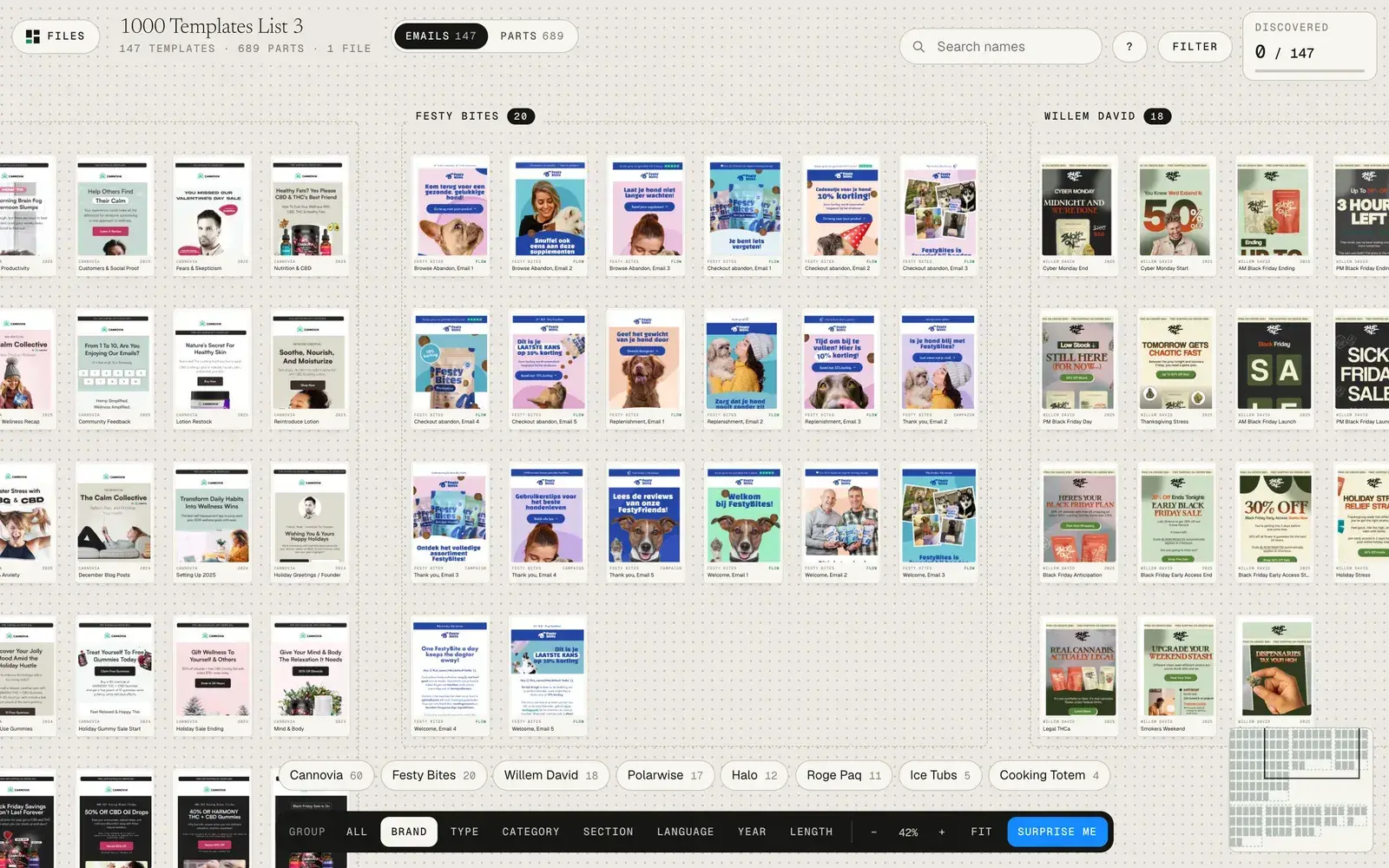
Every client in its own frame.
Your Figma Sections become brands. The mess becomes a map.
One more click · Category
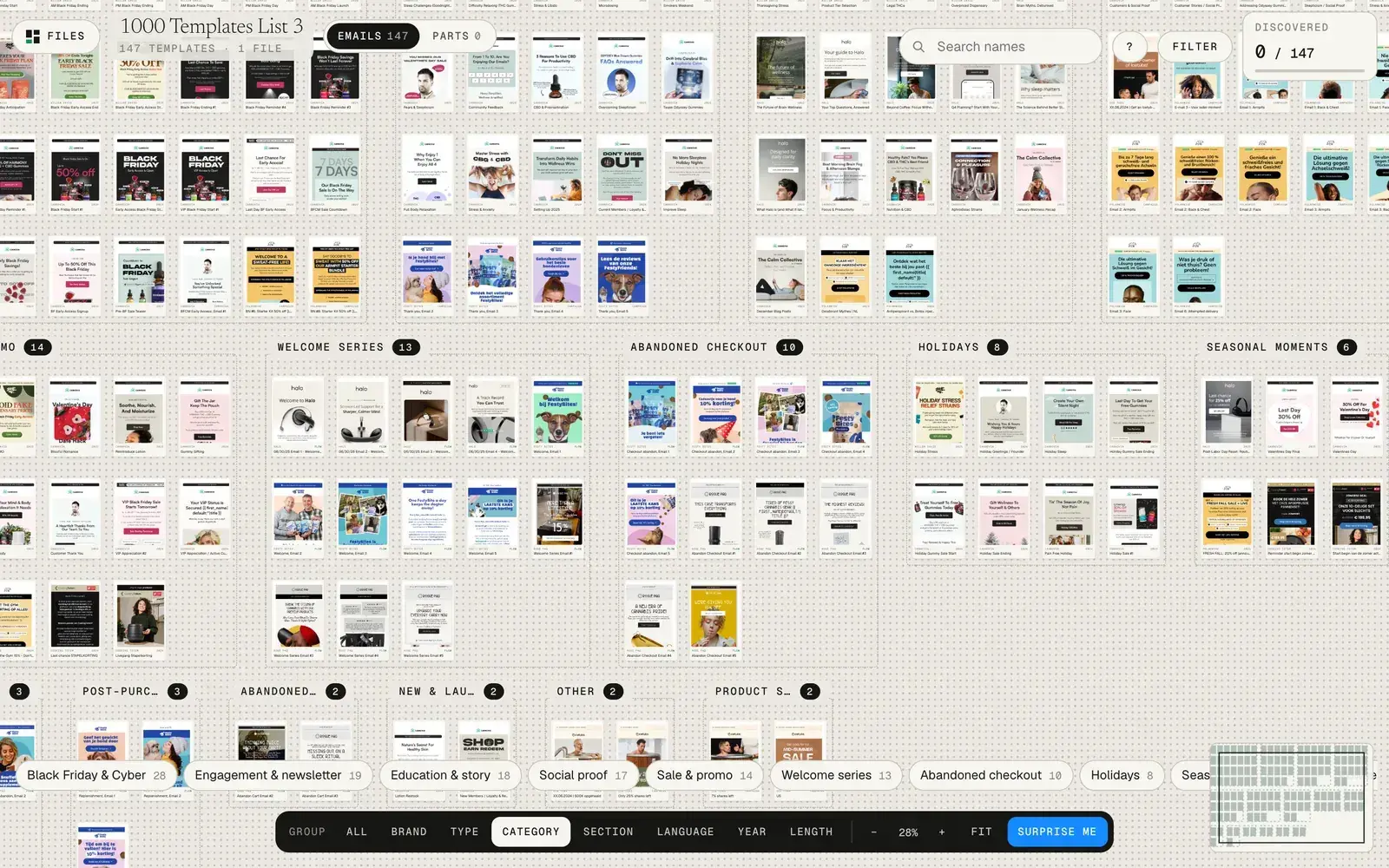
New question. Same file. Regrouped.
Black Friday, welcome, social proof, education. The whole canvas reflows.
Click any card
And you’re in the frame.
Full size, its tags, and one button to open the exact frame in Figma.
Watch it run
Brand. Type. Filter. Parts.
This is the real app on our own templates. One click regroups the canvas, a filter lights only the emails with a reviews section, and the Parts switch opens the pieces your emails are built from.
Sort your own fileFree →The real app
One file in. Every email in its place.
Screenshots of the sorter on 147 of our own templates. Same file, two questions: what is each email for, and which brand is it from? One click switches between them.
How it works
Three moves. About a minute.
- 01Paste your file link
The Figma file where your email designs live.
- 02Add a read-only token
30 seconds in Figma settings. It stays in your browser.
- 03Sort my library
Every email lands on one canvas, grouped.
Why we built it
A library you can see is a library you reuse.
Our studio starts every email from approved work. That only works when you can find the approved work, so this was the first Studio App we built.
On our own files
Built for the library we actually run.
What it sorts by
The questions you ask your library, answered by layout.
Brand
One frame per client, from your Figma Sections.
Festy Bites · Halo · PolarwiseType
Flows apart from campaigns.
Welcome · Abandoned cart · Win-backCategory
What the email is for.
Black Friday · Launch · Social proofSection
The block it’s built around.
Hero · Product grid · ReviewsLanguage
EN, ES, FR, NL and more.
(FR) Spring saleYear
From the dates in your names.
2024 · 2025 · 2026Length
Short, medium or long.
<1600px · <3000px · longerParts
Every atom, molecule and organism, with reuse counts.
Buttons · Cards · HeroesAfter the free sorter
The sorter is free. Pro is $29, or $97 with the workshop.
Pro puts every file on one canvas and opens the parts library. Tools is Pro plus the help center, set up at your pace. Workshop adds the recorded walkthrough of the whole method. You’ll see both on the next page; start free either way.
Questions
Before you paste a link.
Is it really free?
Yes. Sorting one Figma file is free with no time limit. Pro adds multiple files on one canvas and the parts library: $29, or $97 with the recorded workshop.
What is a Figma token, and is it safe?
A personal access token lets an app read a file for you. You make it in Figma with one permission, File content: read-only. The sorter keeps it in your browser and only sends it to Figma. Revoke it in Figma any time.
Will it change my file?
No. The sorter only reads. It never edits, moves or renames a layer.
Do I need Emailify or a special setup?
No. Any Figma email designs work. Good names sort better, and the free starter file shows you how.
Can I use it on client files?
Yes. Nothing passes through our servers; your browser talks to Figma directly.